Introduction
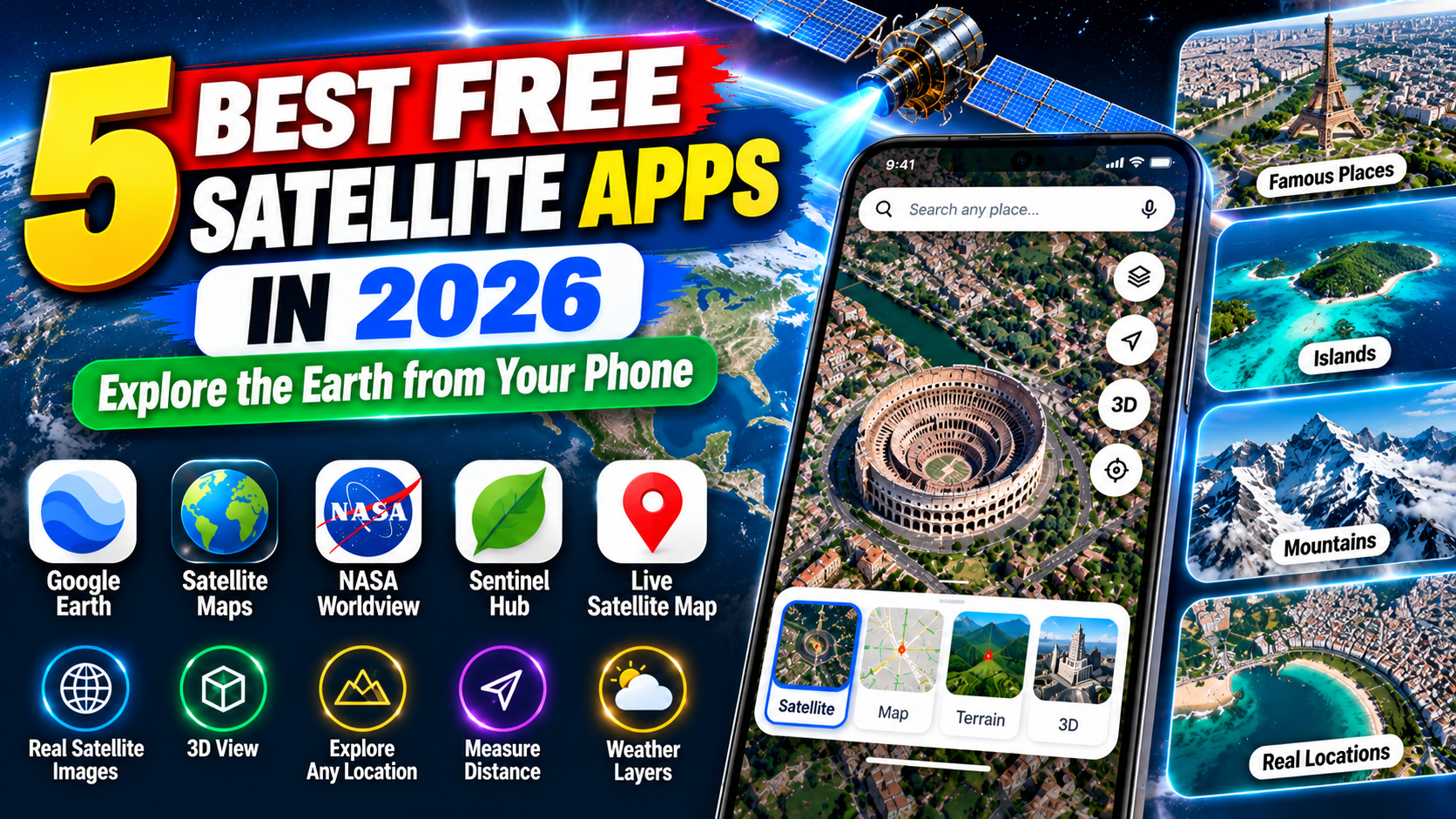
Have you ever wanted to view your hometown from above, explore a distant country, or see mountains, rivers, and coastlines without leaving home? Satellite imagery and digital mapping applications make it possible to explore the Earth through detailed maps, aerial photographs, three-dimensional landscapes, and weather imagery.
These tools are useful for much more than curiosity. Travellers can examine destinations before a trip, students can study geography, researchers can monitor environmental changes, and outdoor enthusiasts can explore unfamiliar landscapes.
However, not every satellite application does the same thing. Some focus on exploring cities and landscapes, while others display weather systems, clouds, storms, and scientific observations collected by satellites. Certain applications also provide navigation features for getting around when an internet connection is unavailable.
In this guide, IPOPANDIT.COM explores five free satellite applications and tools worth considering in 2026. We explain their main features, how to use them, and which option is best for different needs.
One important distinction: satellite imagery is not necessarily live video. Images of buildings and landscapes may come from earlier observations, while weather-focused tools can show much more frequently updated imagery.
1. Google Earth: Explore Cities, Buildings, and Landscapes in 3D
Google Earth is one of the most convenient tools for exploring the planet from above. It allows users to search for places, examine satellite imagery, view three-dimensional terrain, and explore selected cities with 3D buildings.
The application is available for Android, iPhone, iPad, and web browsers. Google Earth Pro is also available for desktop computers and provides additional tools, including historical imagery.
Visit the official Google Earth website to explore its versions and download options.
Main features of Google Earth
Satellite imagery: Search for a city, village, landmark, or natural landscape and zoom in to examine the available imagery.
Three-dimensional exploration: In supported locations, you can explore buildings, terrain, and landscapes in 3D. Coverage and image detail vary from one location to another.
Street View: Where available, you can move from an overhead view to ground-level panoramic imagery to examine streets and landmarks.
Historical imagery: Google Earth Pro on desktop provides access to historical imagery for supported areas. This can help users understand how some locations have changed over time.
Educational exploration: Students and curious users can explore geographical features, famous landmarks, and different parts of the world.
How to use Google Earth
- Install Google Earth from the official app store or open it in a browser.
- Enter the name of a city or location in the search box.
- Zoom in or out to explore the available imagery.
- Rotate or tilt the view where supported to examine the landscape from different angles.
- Switch to supported 3D or Street View experiences when you want a closer look.
Google Earth is free to use for its core exploration features, making it a practical starting point for most people interested in satellite imagery.
One limitation is that imagery does not update continuously like a live camera. The date of the underlying image may differ by location, and high-resolution imagery is not available everywhere.
Best for: Exploring cities, examining landscapes, viewing selected 3D buildings, and studying how places have changed.
2. Google Maps: Satellite Views Alongside Navigation
Google Maps is another popular option, particularly for people who want satellite imagery combined with navigation and local information.
Unlike Google Earth, which emphasizes exploring the world, Google Maps is primarily designed to help users find places, plan routes, and navigate from one destination to another.
Its satellite layer displays aerial imagery of supported locations, while other map layers provide roads, terrain, traffic information, and additional details.
According to Google’s official help documentation, you can switch between standard and satellite views on supported devices. See the Google Maps layers guide.
What makes Google Maps useful?
Satellite view: Examine the layout of neighbourhoods, buildings, roads, parks, and other visible features.
Location search: Search for an address, business, landmark, or geographical feature.
Navigation: Plan routes and receive driving directions, with other transport options available where supported.
Street View: Explore ground-level panoramic imagery for locations where the feature is available.
Offline maps: Download supported geographical areas in advance for limited offline navigation. Google notes that offline functionality has restrictions, including the unavailability of live traffic information and alternative routes when offline.
How to switch to satellite view
- Open Google Maps on your phone.
- Tap the Layers icon.
- Select Satellite under the map-type options.
- Search for a location and zoom in to explore it.
Satellite imagery can use more mobile data than the standard map view, so consider using Wi-Fi when viewing large areas.
It is also important not to confuse offline navigation with a guarantee that all satellite imagery can be downloaded for offline use. Google’s documented offline maps feature is intended for supported map areas and navigation tasks.
Best for: Travellers, commuters, and users who want satellite imagery combined with directions and local place information.
3. Zoom Earth: View Satellite Weather and Storm Activity
Zoom Earth is a satellite and weather-mapping service designed for people who want to monitor clouds, storms, rainfall, and other weather conditions.
It differs from Google Earth because its primary purpose is not to provide detailed views of individual buildings. Instead, it helps users understand atmospheric conditions and observe large weather systems.
Zoom Earth offers a website and mobile applications for supported Android and Apple devices.
Visit Zoom Earth’s official website to explore its maps and mobile app options.
Key features
Frequently updated satellite imagery: Zoom Earth displays imagery from geostationary weather satellites, which observe broad regions of the planet at regular intervals.
Storm tracking: Users can follow developing storms and tropical systems where suitable data is available.
Rain and weather maps: Different layers help users examine weather patterns, rainfall, wind, and temperatures.
Weather forecasts: The service combines observations and forecast data from meteorological sources. Forecast maps are model-based predictions, not direct satellite photographs.
Large-scale environmental monitoring: The maps can help users understand regional cloud cover, changing weather patterns, and major weather events.
Is Zoom Earth a live satellite camera?
Not exactly. Zoom Earth describes some of its satellite imagery as live, but the imagery is collected and processed at intervals rather than transmitted as continuous video of the ground.
Its official documentation explains that geostationary satellite imagery updates frequently, while its high-definition imagery from NASA’s Aqua and Terra satellites is updated twice daily.
Consequently, Zoom Earth is useful for monitoring weather and cloud conditions, but it is not the best tool for checking whether a specific vehicle or person is currently present at a location.
Best for: Weather enthusiasts, storm monitoring, and users who want frequently updated satellite imagery of atmospheric conditions.
4. NASA Worldview: Explore Scientific Satellite Images
NASA Worldview is a free web-based tool for viewing satellite imagery and Earth-observation data. It is especially useful for users interested in environmental changes, natural disasters, fires, dust, cloud cover, and other scientific observations.
Unlike a conventional street map, Worldview offers layers of scientific data collected by different Earth-observing instruments. Users can change dates, compare observations, and explore how conditions develop over time.
You can access it through the official NASA Worldview website.
What can you explore with NASA Worldview?
Global satellite data: Browse observations covering large parts of the planet.
Environmental changes: Explore suitable datasets related to vegetation, oceans, atmospheric conditions, and land surfaces.
Natural disasters: Examine satellite observations associated with events such as wildfires, floods, volcanic activity, and major storms.
Time-based comparisons: Change the observation date to compare imagery and study how an area changes.
Scientific visualization: Display different data layers to investigate environmental patterns rather than relying only on natural-colour images.
NASA also explains that Worldview supports browsing and downloading satellite imagery, including certain observations available within hours of collection. Exact update times depend on the instrument and dataset.
Is NASA Worldview suitable for everyday users?
Yes, although it can require more exploration than a conventional map application.
If you only want to locate your home or examine a street, Google Earth or Google Maps will usually be easier. Worldview is more appropriate when you want to investigate environmental conditions or explore scientific satellite observations.
Some datasets have different resolutions and may not display individual buildings clearly. This is expected because many Earth-observation instruments are designed to measure large-scale environmental conditions.
Best for: Students, educators, researchers, and anyone interested in scientific satellite observations.
5. ArcGIS Earth: A Free 3D Globe for Maps and Geographic Data
ArcGIS Earth is a free application from Esri for exploring geospatial information on an interactive three-dimensional globe.
It provides tools for viewing geographical data, working with supported map formats, measuring distances, adding annotations, and examining spatial relationships. It is more focused on mapping and analysis than a general-purpose weather application.
According to Esri’s official product information, ArcGIS Earth is available for desktop and mobile platforms and supports a variety of geographical data formats.
Explore its features on the official ArcGIS Earth website.
Key features
3D globe exploration: View geographic information on an interactive globe and examine selected terrain and map layers.
Distance and area measurements: Use built-in tools to measure geographical distances and areas.
Map data support: Work with supported data sources and formats, including KML and other geospatial content.
Annotations and placemarks: Add markers and notes to help organize or explain geographical information.
Online and offline workflows: ArcGIS Earth supports certain offline workflows, particularly when suitable geographic data has already been made available locally. This does not mean that all online satellite imagery can automatically be downloaded.
Who should use ArcGIS Earth?
ArcGIS Earth can be useful for advanced learners, students, planning professionals, and people who need to inspect spatial data in more detail.
For someone who only wants to casually explore landmarks, Google Earth may be easier to start with. ArcGIS Earth becomes more useful when measuring locations, importing geographical data, or combining multiple map layers.
Best for: Users who want a free 3D globe with additional geographic-data and analysis tools.
Which Free Satellite App Should You Choose?
The right tool depends on what you want to see and accomplish.
| App or tool | Main purpose | Best use |
|---|---|---|
| Google Earth | Satellite imagery and 3D exploration | Exploring cities, landscapes, and landmarks |
| Google Maps | Satellite maps and navigation | Finding places and planning routes |
| Zoom Earth | Frequently updated weather satellite maps | Tracking storms, clouds, and weather conditions |
| NASA Worldview | Scientific Earth-observation data | Studying environmental changes and natural events |
| ArcGIS Earth | 3D geographic visualization | Exploring map layers and analysing spatial information |
All five offer free access to core functionality, though the supported features, data sources, and requirements differ.
If you are new to satellite mapping, start with Google Earth. If you want directions, use Google Maps. For weather observation, try Zoom Earth. NASA Worldview and ArcGIS Earth are more suitable when you need scientific or geographic-data features.
Important Things to Know About Satellite Imagery
Before relying on any satellite application, it helps to understand a few limitations.
Satellite imagery is not always current. Some images may be months or years old. Updates depend on the imagery provider, location, and data source.
Not every location has the same level of detail. Urban areas may have detailed imagery, while remote regions may have lower-resolution coverage.
Clouds can obscure the ground. Weather satellite images often show cloud systems rather than a clear picture of what lies underneath them.
A satellite app cannot recover deleted phone photos. Google Earth displays imagery of geographical locations; it does not restore pictures deleted from your personal phone gallery. If you have lost personal photographs, check your gallery’s Recently Deleted folder, cloud backups, or a suitable recovery tool instead.
Offline features differ between applications. Downloading a navigation map is not the same as downloading a full collection of high-resolution satellite images.
These distinctions help you choose the correct tool and avoid expecting a mapping application to provide information it was not designed to deliver.
Frequently Asked Questions
Which is the best free satellite app in 2026?
Google Earth is a good general starting point for exploring satellite imagery and 3D landscapes. Google Maps is better for navigation, Zoom Earth focuses on weather imagery, and NASA Worldview provides scientific Earth-observation data.
Can I see my house by satellite?
You may be able to view your house using Google Earth or Google Maps if suitable imagery is available. The image may not be recent, and the level of detail varies by location.
Are satellite images available in real time?
Some weather satellites provide frequently updated imagery, but most satellite maps of buildings and landscapes are not continuous live video. Check the data source and update information for the application you are using.
Can I use satellite apps without the internet?
Some applications support limited offline workflows. Google Maps lets users download supported map areas for offline navigation, while ArcGIS Earth can work with geographic data stored locally. Do not assume that every satellite image or online layer will remain available offline.
Are these satellite apps free?
All five provide free access to core features. Some tools have additional requirements or depend on online data sources, and availability may differ by device and region.
Conclusion
Free satellite applications make it easier to explore the Earth, study geographical features, plan trips, and observe weather patterns. Google Earth is a strong starting point for exploring cities and landscapes, while Google Maps combines satellite imagery with navigation. Zoom Earth focuses on weather observations, NASA Worldview provides scientific imagery, and ArcGIS Earth adds geographic-data and analysis tools.
The best choice depends on your goal. Before relying on a satellite image, check how current it is, what type of data it represents, and whether the application supports your intended task.
At IPOPANDIT.COM, our goal is to help readers choose useful technology tools through accurate explanations and practical advice. By understanding the strengths and limitations of each application, you can explore satellite imagery more effectively without paying for features you may not need.