Introduction
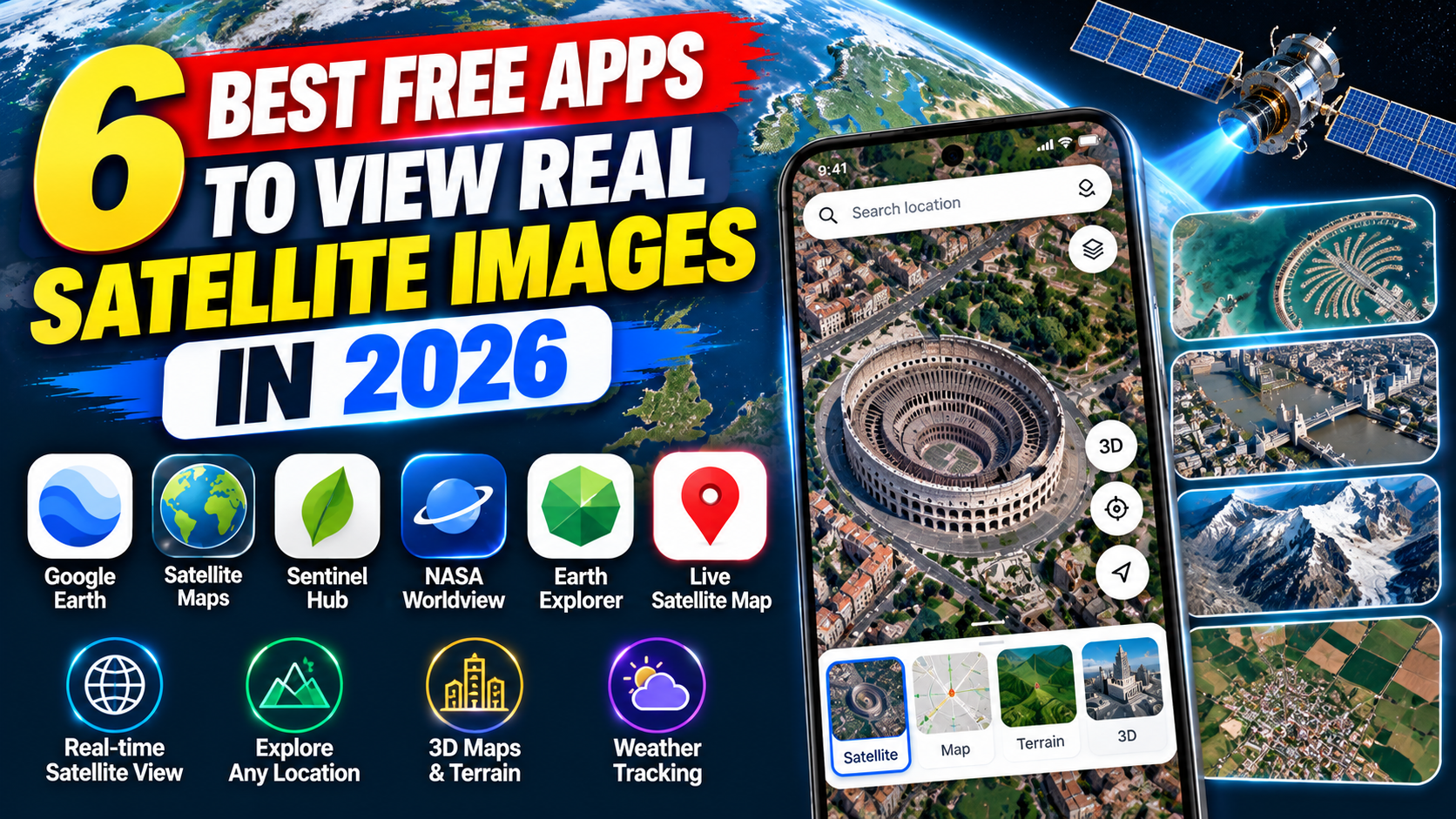
Have you ever wanted to see your neighbourhood from above, explore a distant city, or examine mountains, rivers, and coastlines using satellite images? Modern mapping applications make it possible to explore real geographical locations from a phone or computer without needing specialised equipment.
Satellite imagery is useful for many purposes. Travellers can examine destinations before visiting them, students can learn about geography, and weather enthusiasts can monitor clouds and large storm systems. Researchers and environmental professionals can also use satellite observations to study changes in land, vegetation, and water.
However, choosing the right application can be confusing. Some apps focus on detailed maps of buildings and roads, while others display frequently updated weather imagery or scientific satellite observations. Not every service provides the same image quality, update frequency, or level of detail.
In this guide, IPOPANDIT.COM explores six free satellite image apps and tools worth considering in 2026. We explain how they work, which features are available, and how to choose the right option for your needs.
Important: Real satellite imagery does not automatically mean live imagery. Most detailed pictures of buildings and landscapes are collected in advance, while certain weather satellites provide much more frequent updates.
1. Google Earth: Explore Real Places from Above
Google Earth is one of the most accessible tools for exploring satellite and aerial imagery. It allows users to search for locations, zoom into landscapes, view selected buildings in 3D, and examine how certain places have changed over time.
The platform is available for web browsers and mobile devices, while Google Earth Pro offers additional desktop features.
Visit the official Google Earth website to start exploring.
Main features
Satellite and aerial imagery: Search for cities, villages, landmarks, coastlines, and natural landscapes. The available image detail depends on the location.
3D exploration: In supported areas, examine terrain and buildings from different angles. This can be particularly useful when exploring cities or mountainous regions.
Historical imagery: Google Earth supports historical imagery in compatible versions and locations. Google Earth Pro provides a timeline for examining available images from different dates.
Street View: Where available, Street View lets you move from an overhead map into ground-level panoramic images of roads and public places.
Global exploration: Search for geographical locations around the world without needing to travel there physically.
Are Google Earth images live?
No. Google explains that its satellite and aerial images are collected over time from different providers. Some images may combine photographs collected across multiple dates, so the displayed imagery is not a live video feed. You can review Google’s explanation in its official imagery documentation.
If you want to inspect a particular building or area, Google Earth is an excellent starting point. However, check the available imagery dates before assuming that a recent construction project or landscape change is visible.
Best for: Exploring cities, neighbourhoods, landmarks, landscapes, and historical geographical changes.
2. Google Maps: Satellite Images with Navigation
Google Maps is another useful option for people who want satellite imagery alongside directions, local information, and route planning.
While Google Earth focuses more on geographical exploration, Google Maps combines its satellite layer with road maps, business listings, navigation tools, and information about nearby places.
You can access the service through the official Google Maps website or its mobile application.
What can you do with Google Maps?
Satellite view: Switch from the standard map to satellite imagery to examine roads, buildings, parks, fields, and other visible features.
Location search: Search for an address, neighbourhood, city, landmark, or business.
Street View: Explore ground-level panoramas where the feature is available.
Route planning: Get directions for supported transport modes, with route options and traffic information where available.
Offline maps: Download supported map areas for limited offline navigation. This is not the same as downloading a complete collection of high-resolution satellite images.
How to enable satellite view
- Open Google Maps on your phone or computer.
- Select the Layers option.
- Choose Satellite as the map type.
- Search for the location you want to inspect.
- Zoom in or out to explore the imagery.
The quality and age of the imagery vary by location. Google Maps is particularly useful when you want to identify geographical features and then use the same application to navigate to a destination.
Best for: People who want satellite views combined with road maps, location search, and navigation.
3. Zoom Earth: Frequently Updated Satellite Weather Images
Zoom Earth is designed primarily for observing weather conditions and large-scale atmospheric activity.
Unlike traditional satellite maps, which mainly show the surface of the Earth, Zoom Earth lets users examine cloud cover, storms, rainfall maps, wind patterns, and other weather-related information.
Visit Zoom Earth’s official website to explore its interactive maps.
Main features
Frequently updated weather imagery: Zoom Earth displays imagery from geostationary weather satellites, including NOAA GOES, EUMETSAT Meteosat, and Japan’s Himawari satellites.
Storm monitoring: Follow large weather systems, cyclones, and tropical storms where suitable data is available.
Weather layers: Explore available maps showing rain, wind, temperature, and related conditions.
High-definition satellite images: The service states that its HD satellite images from NASA’s Aqua and Terra satellites are updated twice daily.
Mobile access: Zoom Earth also offers applications for supported Android and Apple devices.
Does Zoom Earth show live images of your house?
Not in the way many people imagine. Zoom Earth’s frequently updated imagery is mainly useful for observing weather systems and atmospheric conditions. It does not provide a continuous live camera showing the current activity around an individual building.
The service distinguishes frequently updated geostationary imagery from HD images that are updated twice daily. You can verify these details on Zoom Earth’s official website.
For tracking storm development and examining cloud systems, it can be more suitable than Google Earth. For detailed views of buildings and roads, a conventional mapping tool is usually a better choice.
Best for: Weather monitoring, storm tracking, cloud observation, and frequently updated satellite weather imagery.
4. NASA Worldview: Explore Scientific Satellite Observations
NASA Worldview is a free online tool that lets users explore satellite observations of the Earth. It is particularly useful for people interested in environmental changes, natural disasters, fires, clouds, dust, and other scientific phenomena.
Unlike a standard map application, Worldview provides different scientific data layers collected by Earth-observing instruments.
Open the official NASA Worldview website to get started.
Key features
Scientific satellite imagery: Explore observations from NASA’s Earth-observing missions and other supported data sources.
Environmental monitoring: View suitable datasets related to vegetation, oceans, atmospheric conditions, and changes in land surfaces.
Natural-event observation: Investigate satellite observations associated with wildfires, flooding, volcanic activity, and large weather systems.
Date selection: Change the observation date to compare imagery and see how conditions have changed over time.
Download and analysis options: Depending on the dataset, users can view and download imagery for further study.
NASA explains that some Worldview imagery is available within hours of observation, making it useful for certain time-sensitive environmental applications. However, timing and image detail depend on the satellite instrument and dataset.
Is NASA Worldview suitable for beginners?
Yes, although it has more scientific tools than a conventional map application. It is particularly useful when you want to understand what satellites measure rather than simply find a building or street.
Some datasets show broad environmental patterns rather than detailed individual structures. This is normal because satellite instruments have different resolutions and scientific purposes.
Best for: Students, educators, researchers, and anyone interested in environmental monitoring and scientific satellite data.
5. Copernicus Browser: Free Satellite Data from European Space Missions
Copernicus Browser is an online platform for exploring satellite imagery and Earth-observation data from the European Union’s Copernicus programme and other supported sources.
It allows users to search for imagery by geographical area and date, compare observations, and download suitable datasets for further analysis.
You can access the official Copernicus Browser.
What makes Copernicus Browser useful?
Satellite image search: Explore available observations from Sentinel missions, including imagery related to land, oceans, and the atmosphere.
Date selection: Search for satellite observations collected during a particular period to investigate changes over time.
Image comparison: Compare different observations of the same area to study environmental or geographical changes.
Download options: Supported datasets can be downloaded for mapping, research, and other appropriate applications.
Environmental monitoring: The platform can be useful for examining agriculture, vegetation, land use, water, and certain natural events.
The data is available on an open and free basis under the Copernicus programme, although the platform’s current account and access requirements should be checked before use. The browser documentation explains the available missions and visualization tools.
How is it different from Google Earth?
Google Earth is generally easier for casual exploration, while Copernicus Browser offers greater control over satellite datasets and observation dates.
If you want to examine changes in vegetation or compare land images collected at different times, Copernicus Browser can be especially valuable. However, understanding some datasets may require a little practice.
Best for: Users who want to explore, compare, and download scientific satellite data.
6. ArcGIS Earth: A Free 3D Globe for Geographic Exploration
ArcGIS Earth is a free application from Esri that helps users visualize and explore geographical information on a three-dimensional globe.
It is available for desktop and mobile devices and supports a variety of geographic data formats and services. This makes it useful for people who want more control over geographic layers than a basic map application provides.
Visit the official ArcGIS Earth website.
Main features
Interactive 3D globe: Explore the Earth and examine supported geographic information in three dimensions.
Map and data layers: Work with compatible geographic files and online mapping services.
Distance and area measurement: Use available tools to examine spatial relationships and measure geographical features.
Placemarks and annotations: Add markers and other information to organize a geographical project.
Offline workflows: ArcGIS Earth supports certain offline workflows when suitable data is available locally. Online imagery is not automatically available offline simply because the application supports offline use.
ArcGIS Earth is more focused on geographical visualization and analysis than on continuously updated satellite imagery. Its actual satellite content depends on the map services or data sources being used.
Best for: Users who want a free 3D globe and additional tools for working with geographic data.
Comparison: Which Free Satellite App Is Best?
| App | Main purpose | Best use |
|---|---|---|
| Google Earth | Satellite and aerial imagery | Exploring places and historical imagery |
| Google Maps | Satellite maps and navigation | Examining locations and planning routes |
| Zoom Earth | Frequently updated weather imagery | Monitoring storms and cloud systems |
| NASA Worldview | Scientific satellite observations | Environmental research and natural events |
| Copernicus Browser | Satellite datasets and comparisons | Studying land and environmental change |
| ArcGIS Earth | 3D geographic visualization | Exploring geographic data and map layers |
All six provide free access to core features, although data coverage, account requirements, available devices, and particular functions differ.
For everyday exploration, start with Google Earth. For navigation, use Google Maps. For frequent weather imagery, try Zoom Earth. NASA Worldview and Copernicus Browser are better suited to scientific observations, while ArcGIS Earth offers additional geographic-data tools.
What to Know Before Using Satellite Images
Before relying on an image, understand what it actually represents.
Images may be outdated. Satellite and aerial imagery is collected on particular dates. A map may not show recent construction, road changes, or other developments.
Resolution varies. Some areas have detailed imagery, while others may be shown at lower resolution.
Weather affects visibility. Clouds can obscure the ground, particularly in weather satellite imagery.
Live does not mean continuous video. Frequently updated imagery is still made up of individual observations captured and processed at intervals.
Different tools serve different purposes. A map designed to show buildings may not provide the scientific data needed to study vegetation, wildfires, or water quality.
Check the imagery date, the source, and the stated update frequency before drawing conclusions from a satellite image.
Frequently Asked Questions
Which is the best free app for real satellite images?
Google Earth is a good general-purpose option for exploring actual satellite and aerial imagery. Google Maps adds navigation, while Zoom Earth focuses on frequently updated weather observations. NASA Worldview and Copernicus Browser provide scientific satellite data.
Can I see my house in real satellite images?
You may be able to view your house through Google Earth or Google Maps if suitable imagery is available. The image may be several months or years old, and the level of detail varies.
Which app provides live satellite imagery?
Zoom Earth provides frequently updated weather satellite imagery. However, detailed imagery of buildings and streets is not normally available as continuous live video.
Are these satellite apps free?
All six tools offer free access to core features. Some require an internet connection, and Copernicus Browser currently requires a free account for its browser functionality. Specific features and access requirements may change.
Can I download satellite images?
Some services provide download options for supported imagery. NASA Worldview and Copernicus Browser are particularly useful for obtaining scientific datasets. Google Maps offline maps should not be confused with downloadable high-resolution satellite imagery.
Conclusion
Free satellite image applications make it easier to explore cities, observe weather systems, and understand changes to the Earth’s surface. Google Earth and Google Maps are useful for everyday geographical exploration, while Zoom Earth focuses on weather. NASA Worldview and Copernicus Browser offer scientific satellite observations, and ArcGIS Earth provides additional tools for working with geographical data.
The best choice depends on whether you want to explore a neighbourhood, track a storm, or compare environmental observations. Always check the image date and data source, because genuine satellite imagery is not necessarily live or recently captured.
At IPOPANDIT.COM, our aim is to help readers choose useful digital tools through practical and accurate guides. By selecting the right application and understanding its limitations, you can explore real satellite imagery without paying for features you may not need.